7. Playoffs & standings
OutScore turns your round-robin results into standings, seeds a single-elimination bracket from them, and advances winners as you score the bracket games. You stay in control: every seed, point total and winner can be overridden.
Turn playoffs on
In the Setup wizard or Tournament Settings → Features, switch on Playoff bracket manager (the organizer tool) and Public playoff bracket (adds a Playoffs tab to the public rankings page). Then open Playoff Bracket from the ScoreKeeper hub.

The ? icon in the app bar explains the model in one paragraph: seeds fill the slots from standings, but a matchup is not a game until you schedule it.
Playoff setup
Press the gear icon to open Playoff setup.

Who makes it — with no divisions, Teams in the bracket. The top seeds from the standings qualify. If the number isn't a power of two, byes are added automatically (a 6-team bracket gives seeds 1 and 2 a bye in round one).
When Use divisions is on, Playoff setup also has Playoffs:
- Top teams overall — today's single bracket.
- Separate playoffs per division — each division has its own bracket (tabs named after the divisions). Unassigned teams do not qualify. Choose how many teams per division, or leave it blank for everyone in the group.
- Combined playoffs from divisions — top N from each division, plus wild cards from the best remaining records. Pairing can be Standard seeding, Cross-division (1A vs 2B, then rotate for 3+ groups), or Division winners vs wild cards. Combined slots can show a short tag such as
E1orWC.
If the event splits men's and women's teams, Bracket Manager runs this separately for each category.
Standing points
Standing points control how round-robin games are ranked. Pick a Rule set and adjust any value:
| Rule set | Reg. win | OT win | Tie | OT loss | Reg. loss |
|---|---|---|---|---|---|
| Classic 2–1–0 (default) | 2 | 2 | 1 | 0 | 0 |
| IIHF / USA Hockey | 3 | 2 | 1 | 1 | 0 |
| NHL | 2 | 2 | 1 | 1 | 0 |
| FIFA 3–1–0 | 3 | 3 | 1 | 0 | 0 |
| Custom | any | any | any | any | any |
Count equal scores as a tie — on by default. When it's off, a 2–2 game gives no points unless you explicitly choose Ended in a tie when concluding it.
Press Save. Playoff games never add standing points.
Standings
The Standings tab is the ranking OutScore computed from concluded regular-season games: Seed, Team, Earned points, Points used, and Goal Diff (the tie-breaker).

Two things you can override, per team:
- Seed — lock a team into a specific seed (e.g. the host team always gets #1).
- Points used — replace the earned points (e.g. to award a forfeit).
An override shows a clear button beside the team; use it to go back to the computed value. Overrides only affect the bracket and the public rankings — the underlying game results don't change.
Tip
Standings only include games you have concluded. If a team is missing points, check whether the game is still under the live section of the games list.
The bracket
The Bracket tab shows one sub-tab per round (Quarterfinals, Semis, Finals, or Round n) with a card per matchup. In round one the teams are drop-downs so you can swap a pairing if the seeding shouldn't be followed; Reset round 1 to seeding undoes those changes.

Later rounds fill in as winners are decided. Until then a slot shows TBD and Waiting on the previous round. A team with a bye shows Advances on a bye. No game to schedule.

Scheduling and scoring bracket games
A matchup becomes a game when you press Schedule this game. The Schedule a game dialog opens with both teams and Playoffs pre-selected — set the time and location and press Schedule game.
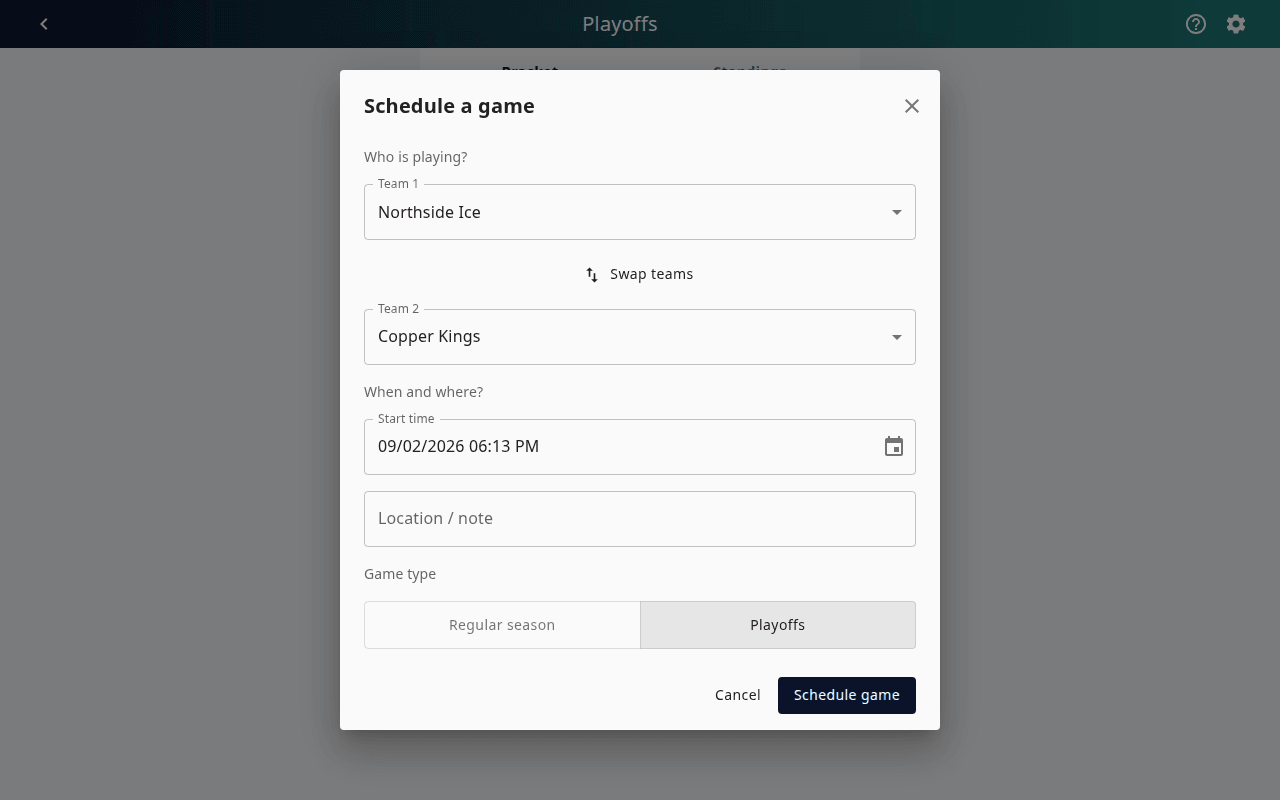
The card now shows the start time and an Open game button (which becomes Open final once concluded). Score it exactly like any other game (Chapter 6); when you conclude it, the winner advances automatically.

Bracket games also appear on the public and organizer schedules with their note, so fans find them in the usual place.
Overriding who advances
Each matchup has a Who advances selector:
- Auto (default) — the winner of the concluded game.
- Either team — force the result (a forfeit, a ruling, or a game played off the app).
- Nobody yet — hold the next round open.
What fans see
With Public playoff bracket on, the public Team Rankings page gains a Playoffs tab with the same rounds and cards, read-only. Scheduled games are tappable and open the live game page.

The Rankings tab shows the standings as points and goal differential per team — including any overrides you set.
